mdadash.backend.analyses.com_distance
Distance between two center-of-masses
Classes
COM Distance |
- class mdadash.backend.analyses.com_distance.COMDistance[source]
Bases:
WidgetBaseCOM Distance
This widget shows the distance between two center-of-masses (COMs).
Inputs
- Run frequency
- The frequency with which the widget is run - every-frame or batch
Default:
every-frame
- Run mode
- The mode in which the widget is run - serial or parallel
Default:
serial
- Selection 1
- First MDAnalysis selection phrase
Default:
protein
- Selection 2
- Second MDAnalysis selection phrase
Default:
resid 1
- Periodic
- Select with periodic boundary conditions
Default:
True
- Updating
- Update selection during each timestep
Default:
False
- Custom title
- Custom title for the plot
Default: ‘’
- Max values
- Max values to show in plot
Default:
100
- Max distance
- Max distance for alert check
Default:
50.0
- Alert if distance > ‘Max distance
- Create an alert if the above condition is met
Default:
False
- Pause simulation if distance > ‘Max distance’
- Pause the simulation if the above condition is met
Default:
False
- X-axis
- X-axis value - time or step
Default:
time
Output
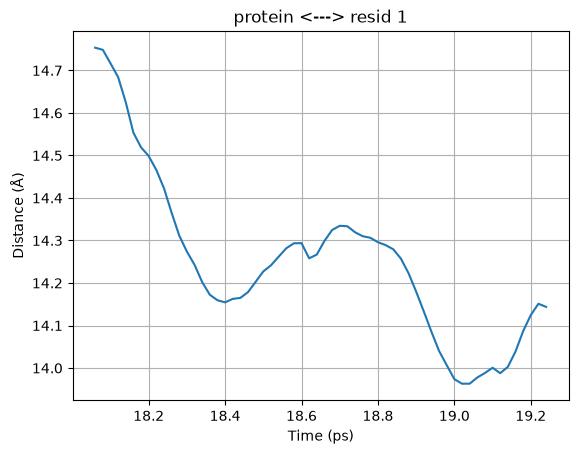
Here is an example output plot of this widget:
Tip
This widget supports batching and can run in parallel
- apply_parallel_results(values)[source]
apply_parallel_results()handler
- description = 'Distance between two COMs'
- get_parallel_job()[source]
get_parallel_job()handler
- name = 'COMDistance'
- on_input_change(attribute, _old_value, new_value)[source]
on_input_change()handler
- on_post_connect()[source]
on_post_connect()handler
- on_post_create()[source]
on_post_create()handler
- run_batch()[source]
run_batch()handler
- run_every_frame()[source]
run_every_frame()handler